For more information on CloudApper AI TimeClock visit our page here.
If you manage HR or payroll at a college or university running Workday HCM and Paycom, you’re dealing with one of the most complicated workforce compositions in any industry.
On any given pay period, your institution is processing wages for full-time faculty and administrators, adjunct instructors teaching across multiple departments, student workers logging hours in dining halls and libraries, facilities staff split across multiple buildings and shifts, and part-time hourly staff in athletics, events, and research labs.
Each of these groups has a different pay rate, a different supervisor, a different schedule, and in some cases, a different compliance obligation under the ACA. They clock in at different locations — sometimes different campuses entirely. And somehow, all of that has to land in Workday accurately before it flows to Paycom for payroll processing.
For most institutions, this process involves more manual reconciliation than anyone on your team would like to admit.
Where Higher Education Payroll Actually Breaks Down
The problem isn’t the Workday-to-Paycom integration itself. It’s everything upstream — specifically, how time data is captured from a workforce that is structurally resistant to standardization.
Consider what your payroll team navigates every cycle:
Adjuncts teaching at multiple departments may be tracked by different department coordinators with different approval habits. One coordinator submits hours on time every week. Another emails a spreadsheet two days after the payroll cutoff.
Student workers often rely on self-reported hours or supervisor sign-offs that come in inconsistently. A student working 18 hours one week and 6 the next creates ACA variable-hour tracking obligations that can’t be managed with manual logs.
Facilities and maintenance staff work overnight and weekend shifts across multiple buildings. Without a consistent clock-in mechanism, supervisors estimate hours — which is both inaccurate and a compliance liability.
Hourly research assistants and lab staff may be funded across multiple grants or cost centers, meaning their hours need to be split and coded correctly before payroll — not reconciled after the fact by your finance team.
The result is a payroll cycle where your team spends the final day before cutoff chasing approvals, correcting entries, and reconciling time data before it’s ready to flow into Paycom.
A Time Clock Built for the Complexity of Campus Workforces
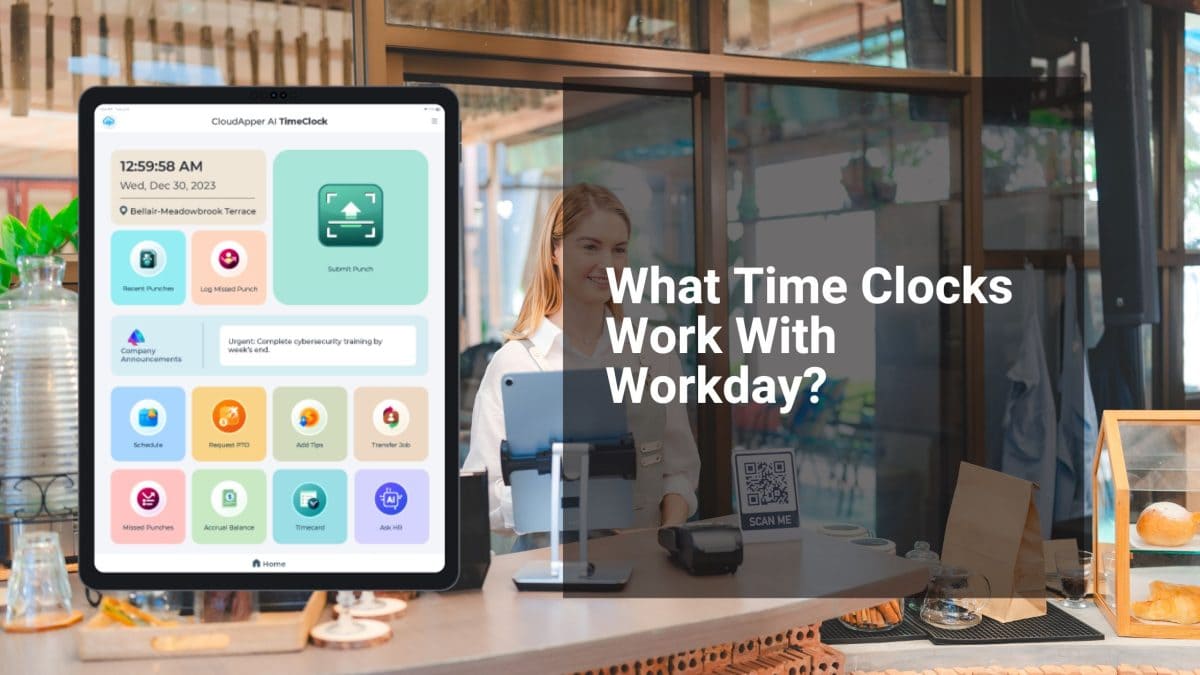
CloudApper AI TimeClock is designed for exactly the kind of mixed, multi-location workforce universities manage. Rather than requiring proprietary hardware or a campus-wide infrastructure project, it runs on any existing iPad or Android tablet — which means you can deploy it in a department office, a dining hall, a library help desk, or a facilities break room within days.
Here’s what it solves, specifically for higher education:
Biometric clock-in eliminates buddy punching and timesheet fraud. For student workers and hourly staff sharing a department tablet, facial recognition ensures only the verified employee can log their own hours. No cards, no PINs, no workarounds.
Department-level cost center coding at punch time. When an adjunct or student worker clocks in, they select the department, grant, or cost center their hours belong to. That data flows directly into Workday pre-coded — your finance team stops reallocating labor charges after the fact.
ACA variable-hour tracking built into the data flow. For adjuncts and part-time staff whose benefits eligibility depends on hours worked over a measurement period, the system maintains a continuous, audit-ready log. No more reconstructing hours from paper timesheets when open enrollment arrives.
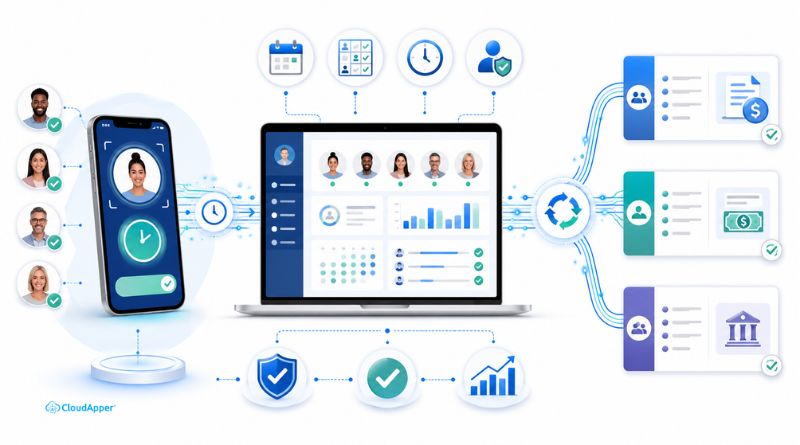
Real-time Workday sync, then clean handoff to Paycom. Once hours are captured and approved, CloudApper’s enterprise iPaaS platform applies your pay rules — overtime thresholds, student FICA exemptions, differential pay for evening facilities shifts — before pushing clean, payroll-ready data to Paycom.
For the technical foundation of how this Workday-to-Paycom pipeline works, see the full integration guide: Integrating Workday HCM with Paycom, Paycor, and Paylocity for Payroll Processing.
The ACA Compliance Angle Universities Can’t Ignore
For institutions with more than 50 full-time equivalent employees, the ACA requires tracking variable-hour employees — adjuncts, student workers, part-time staff — over a defined measurement period to determine benefits eligibility. This is one of the most compliance-sensitive payroll obligations universities face, and it cannot be satisfied with reconstructed or estimated hours.
CloudApper AI TimeClock creates a continuous, timestamped record of every punch for every employee category. When your benefits team needs to run an ACA look-back calculation, the data is already structured, complete, and ready — not assembled from department spreadsheets the week before the deadline.
What Changes When You Standardize Time Capture
Universities that move from fragmented, supervisor-dependent time collection to a centralized AI time clock connected to Workday and Paycom typically see:
- Payroll closes faster — approved, rule-compliant hours reach Paycom automatically, without a day of manual corrections
- Adjunct pay disputes drop — a biometric record of hours worked is far easier to verify than a spreadsheet submitted by a department coordinator
- Grant labor reporting becomes accurate — hours coded at punch time mean research cost reports reflect actual effort, not estimated allocations
- HR team capacity increases — the hours your staff spend chasing timesheets go toward strategic work instead
Getting Started on Campus
Step 1 — Start with your highest-volume hourly departments. Dining services, facilities management, and the library are typically where the most manual time reconciliation happens. Pilot there first.
Step 2 — Map your pay rule complexity before deployment. Student FICA exemptions, adjunct per-course rates, shift differentials for overnight facilities staff — the CloudApper team configures these as rulesets so Paycom receives pre-classified, accurate hours from day one.
Step 3 — Connect your ACA tracking requirements. Define which employee categories require measurement-period tracking and build that into the clock-in workflow. The data captures automatically from there.
Higher education HR teams carry an enormous administrative burden relative to their size. The institutions that reduce that burden aren’t adding headcount — they’re eliminating the manual steps between a clock-in and a paycheck.
→ Explore CloudApper AI TimeClock, learn about the full CloudApper platform, or see how enterprise system integration connects Workday and Paycom for institutions managing complex workforce structures.
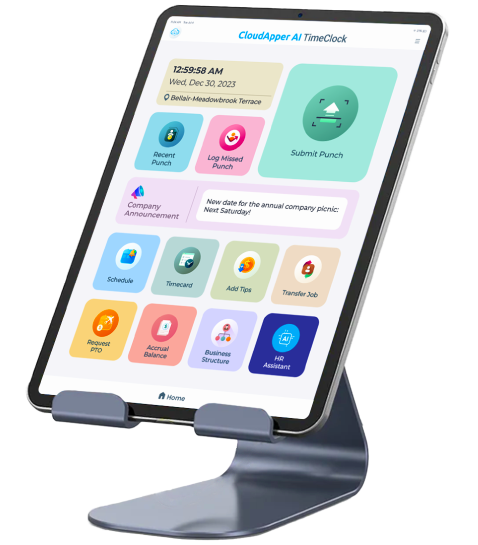
Super Efficient Employee Time Clock Kiosk Application
Cost Effective Employee Time Clock Application for
All Major HR, HCM
and Payroll
Systems